Macintosh Explorer
- Windows Explorer interface for quickly finding files
- Cut, copy and paste documents
- Tabbed interface lets you browse multiple folders in one windows
- Fast and easy to use!

When you use your Mac, file browsing options are important. That's why Macintosh Explorer offers the familiar hierarchal, two-pane file view known to Windows users with the superior Macintosh look and feel.
The first ever Mac file browser to offer tabbed file browsing, Macintosh Explorer provides Mac users with exciting new options and a totally new file browsing experience. Windows users feel right at home while you adapt to the Macintosh interface. With additions you won't find in MS Windows, the benefits of using the Mac platform are just one download away.
Check out some of the features Macintosh Explorer has to offer
Macintosh Explorer In Action! |
|
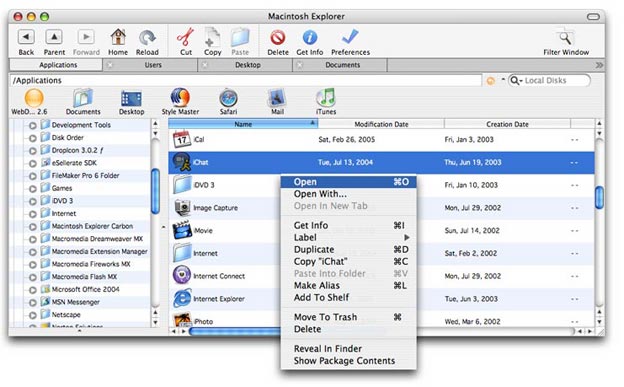 |
The first ever tabbed file browser for the Mac. Complete with the favorites shelf for commonly used files and applications, fast file searching from within each Explorer window and contextual menus to quickly perform various actions on selected files. |
Picture Previews as you Browse! |
|
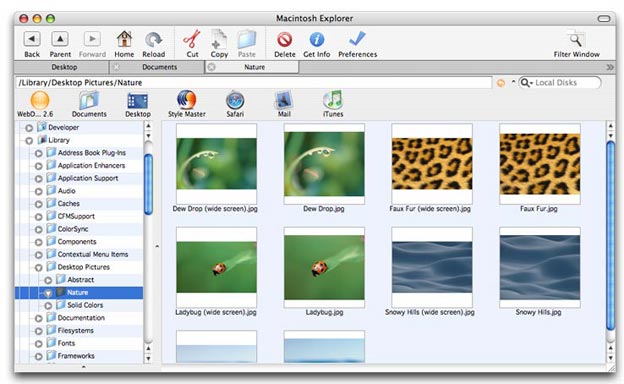 |
No more generic icons when what you really want to see is the actual picture file. Macintosh Explorer is the first Macintosh File Browser to offer Thumbnail file browsing. Quickly locate the pictures you are looking for in a large list of files. |
Find Anything You Need! |
|
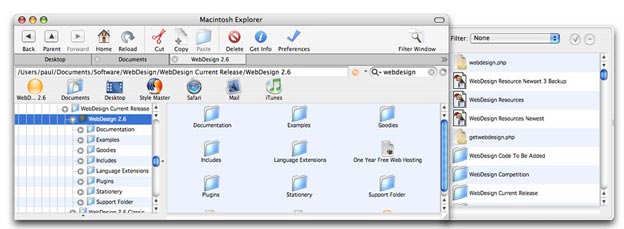 |
With access to the same search capabilities as Sherlock right from within Macintosh Explorer's main window, you can locate exactly what you are looking for without relying on third party applications or cluttering your desktop with more windows. You won't even disturb your current file location. |
Customized to the Way you Want! |
|
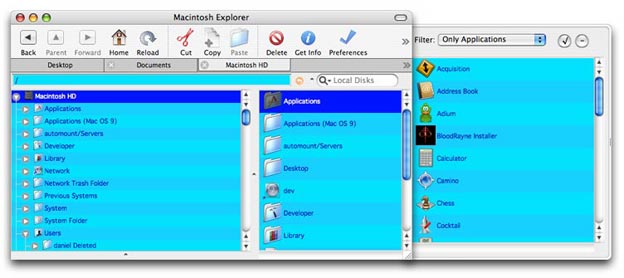 |
Choose between FIVE different file views including icon view, list view, detailed list view,compact list view and even Thumbnail view. Flavors let you further customize Macintosh Explorer to match your desired tastes. |
Treat Multiple Files as One with File Banks! |
|
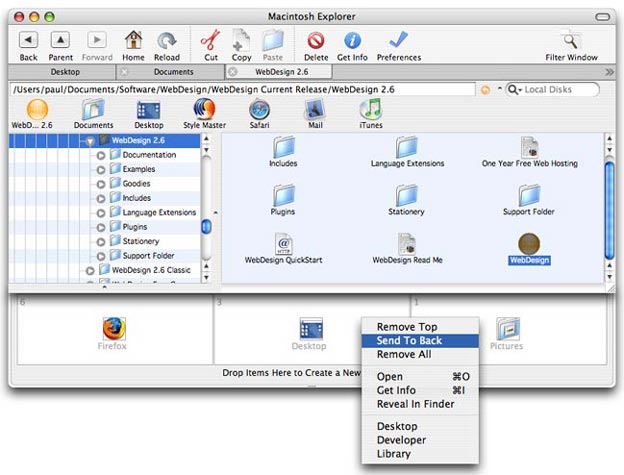 |
Move, copy and store multiple files as one with File Banks. File Banks will store a pile of files so that a drag and drop operation can be posed while you navigate to a destination directory or if you just want to conveniently move multiple files as one pile of files. |
Change Info For Multiple Files At Once! |
|
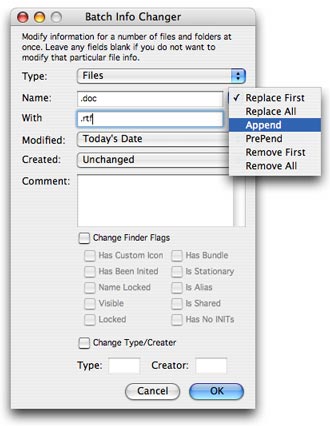 |
Batch change file info for multiple files at once with Macintosh Explorer's Batch File Info Changer. Just enter some new information for the selected files, or even all files or folders within the current folder, and Macintosh Explorer will update all the specified files with the new file info. |
Price: FREE
File Size: 9.8MB
Latest Version: 5.1
Frequently Asked Questions
I am downloading Mac Explorer now. I wonder why it took so long for someone to think of this??
- Becky Noel
Macintosh Explorer is a powerful utility that enables among many other things, fast and efficient file browsing and file manipulation. It provides a hierarchical overview of all connected hard drives, folders and files. It makes Finder navigation extremely convenient by allowing the user to view invisible files, preview, backup and delete unused files.
- torontoreviews.com
Since I switched to the Mac a few years ago I have never come across a program like Macintosh Explorer. Having so many file management tools in just one application has made my life so much easier. I didn't even hesitate to purchase it.
- Michael Roberts
 Twitter
 Facebook
 Youtube
 Blog RSS